Trust Before Automation
2025 · Credo AI
Overview
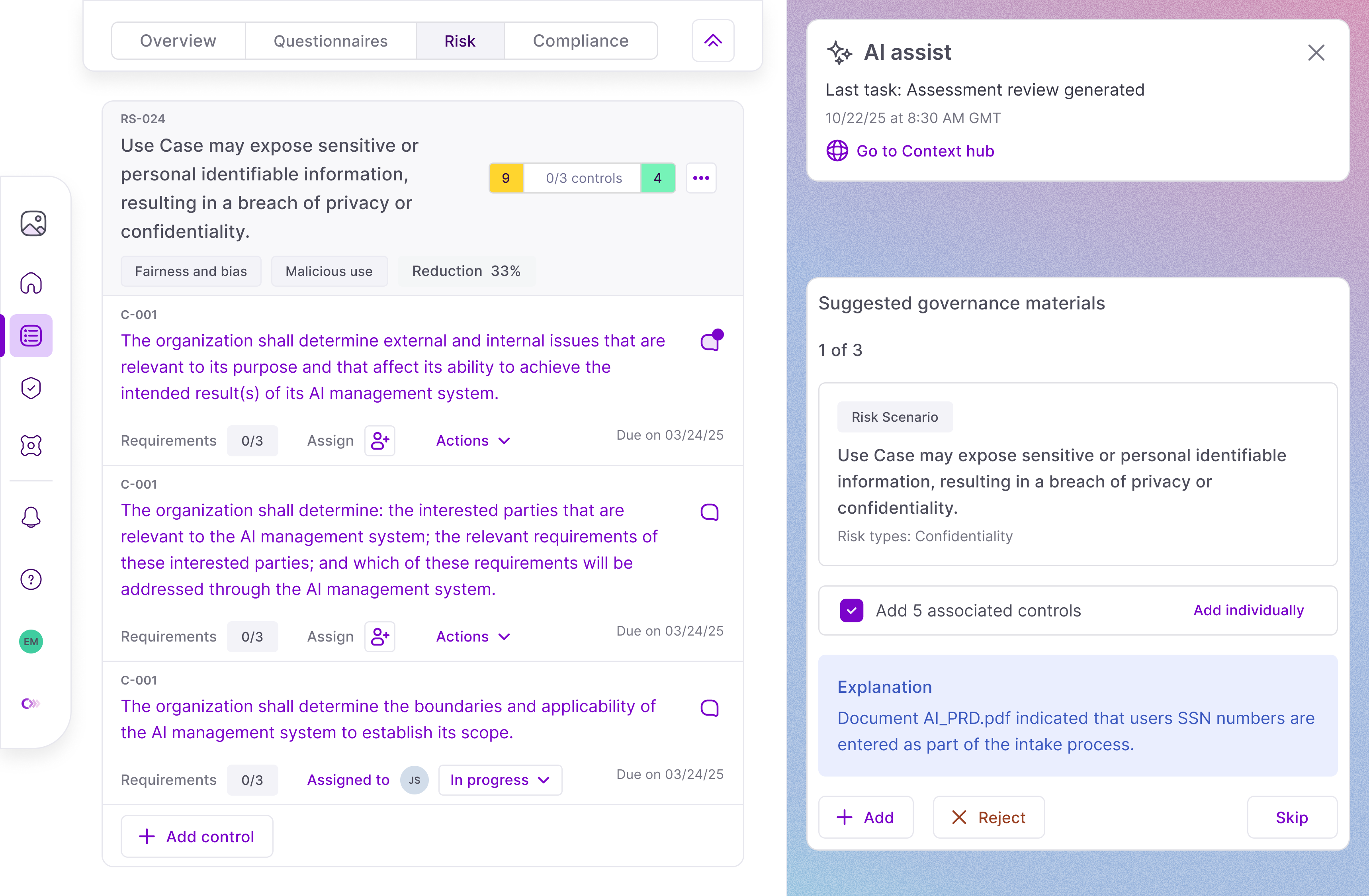
Credo AI helps enterprise teams safely adopt and govern AI at scale. I led the end-to-end design (from behavioral contracts to control surfaces UI) of AI Assist, our AI powered registration tool.
The project lasted several months, and had an instant impact. Registration processes that previously took weeks of coordination were now starting to get done in a single session.
The problem
As AI usage scales: manual registration forms create bottlenecks: users struggle with terminology, submissions lack consistency, and governance teams spend time interpreting rather than evaluating risk.
AI Assist aims to bridge this gap by structuring intent—translating natural language into explicit signals and inferring relevant data—without automating approval decisions.
Earning trust
Before setting out on longer-running tasks, I championed a step that verifies the initial prompt and asks up to two follow-up questions.
This step adds friction, but increases perceived speed. The AI is immediately reacting to inputs, helping the user trust its utility, and preventing misalignment downstream.
Tuning performance
Building with Cursor, I not only shipped UI, but also prototyped and shaped our AI behavior schema.
Results: governance data moved from RAG to long context, deterministic guardrails were assigned to specific tasks, system prompts constantly evolved.
Surfacing output
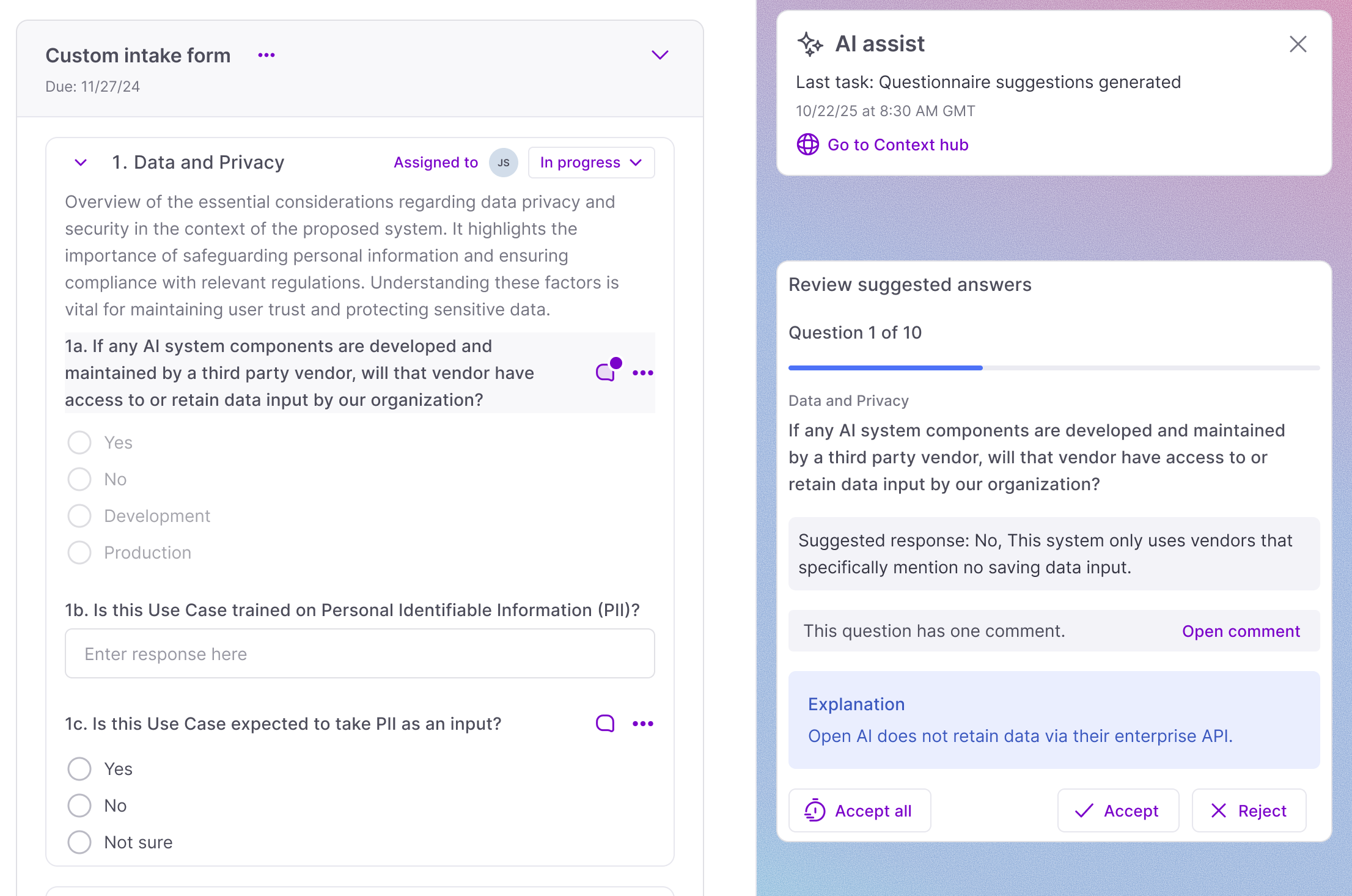
Where AI takes action, the output is visible, reversible, and has an explanation attached. This makes it easy to correct mistakes if they occur, and keeps a human-in-the-loop by default.
Context privacy
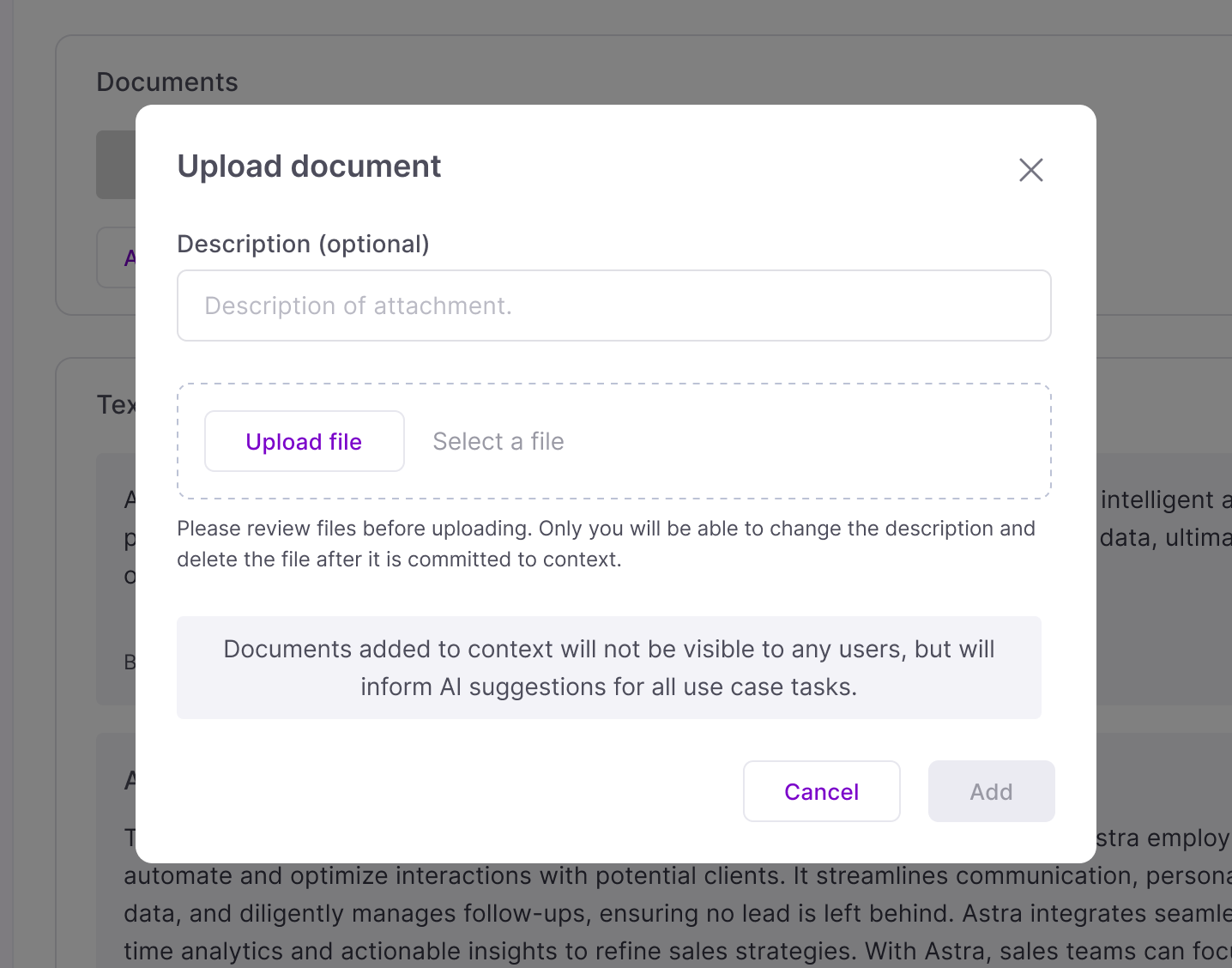
Each use case stores all uploaded context in a single shared database, and AI Assist draws from the full pool when generating suggestions, no filtering by contributor.
This clean architecture creates a scalable point of view when communicated up front.
Reception
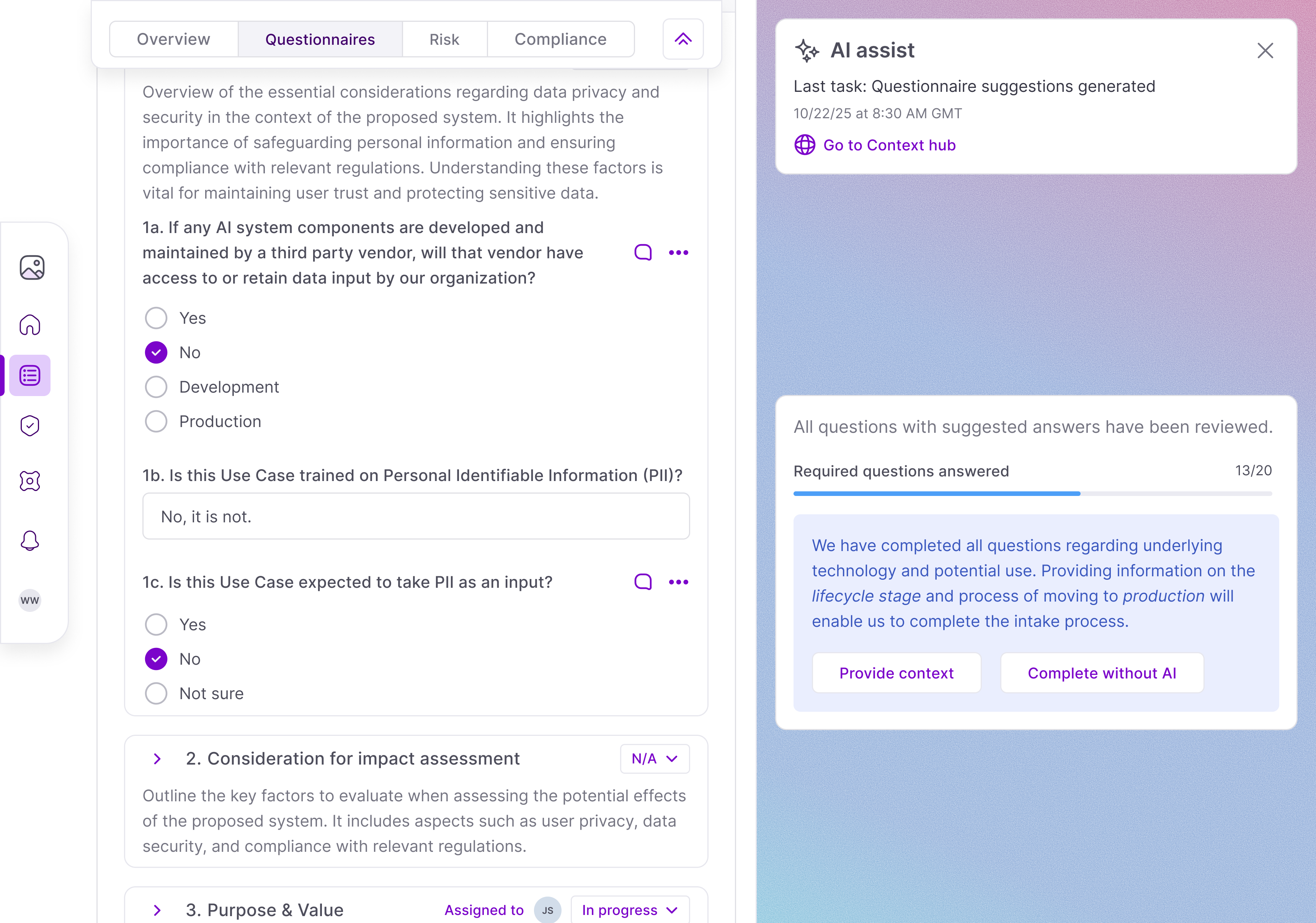
The reaction from users was overwhelmingly positive. Instead of waiting days or weeks for answers, AI Assist empowered users to complete intake in a single session — reducing intake time by 3x.
But the launch was not without pain. Testing with design partners lasted several months and surfaced a number of latency issues that were previously missed.
One big change was a pivot to enable AI Assist to surface suggestions prior to full task completion. This sacrificed a clear path to completion with improved perceived speed: users do not have to wait until AI Assist has evaluated the full questionnaire before approving outputs.
Evolving design
I learned and evolved a lot throughout this project. Moving deliverables from static Figma mockups to coded prototypes, production ready UI components, API testing tools; all force multipliers for building and richer avenues for receiving feedback.
Next steps
The nature of AI adoption changes fast. AI Assist alleviated the targeted pain point of registering use cases, but it is not hard to imagine a future in which use cases are no longer the central pillar of governance.
Regardless of output form, the AI-charged process of building is here to stay. And this project is end-to-end proof that I intend on staying at the front of it.